The 14-Day Window: Navigating Temporary Motor Vehicle Registration in Zambia

Bringing a vehicle into Zambia, whether it is a new import or a cross-border transit, requires a specialized legal bridge before it receives its permanent “White Book.” This bridge is the Temporary Registration Certificate (TRN).
While the administrative process on ZamPortal is noted for its efficiency, the “behind-the-scenes” documentation requires coordination between ZRA, Zambia Police (Interpol), and RTSA. This guide breaks down the professional workflow to ensure your vehicle is legally covered for its first 14 days on Zambian soil.
Pre-Application Compliance Checklist
Before logging into the portal, you must have your digital dossier ready. Temporary registration is only granted once the vehicle has cleared customs and security checks.
| Document | Issuing Authority | Purpose |
| Customs Clearance Certificate | ZRA | Proof that all import duties/taxes are settled. |
| Release Order | ZRA | Authorization for the vehicle to leave the customs yard. |
| Interpol Clearance | Zambia Police | Verification that the vehicle is not on the global stolen list. |
| Physical Examination Report | RTSA | Verification of chassis and engine numbers. |
| Valid Insurance Cover Note | Private Insurer | Mandatory third-party coverage for the 14-day period. |
| ZRA Receipt | ZRA | Proof of initial payment for registration fees. |
The Digital Application Workflow
1. ZamPass Authentication
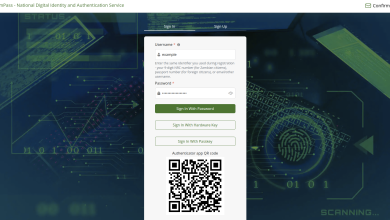
Access the gateway via pass.gsb.gov.zm.
Identity Management: Log in with your NRC or Passport.
Verification: Enter the OTP sent to your registered device.
2. Service Initiation
Navigate to the RTSA e-Services section on ZamPortal.
Select “Temporary Registration of Motor Vehicle” and click “Apply”.
Confirm that the auto-populated owner details are accurate.
3. Documentation Upload
This is the most critical stage. You will be prompted to upload high-quality scans of the documents listed in the checklist above.
Tech Nerd Tip: Ensure all files are in PDF format and under 2MB per file. If the system fails to verify your Interpol clearance instantly, double-check that the Chassis number entered matches the Interpol certificate exactly.
4. Payment and Final Submission
Fee Structure: The fee for temporary registration is usually covered under the initial payment reflected on your ZRA Receipt. However, check for any administrative transaction fees at the point of submission.
Payment Gateways: Settle any outstanding balances via Mobile Money (Airtel/MTN/Zamtel) or Debit Card.
5. Issuance
Once the “One-Hour” processing window is complete, your status will update to “Approved”.
Download: Access your Temporary Registration Certificate from your “My Workplace” dashboard.
Display: Print this certificate and display it clearly on the vehicle.
Validity and Constraints
A Temporary Registration is not a permanent solution. It is a time-bound permit designed to allow you to move the vehicle while awaiting final registration.
Validity Period: 14 Days strictly.
Extension: TRNs are generally non-extendable; the vehicle must be permanently registered before the 14th day.
Usage: The vehicle is legally allowed on public roads, provided the TRN and insurance are valid.
Next Steps: From TRN to “White Book”
The 14-day window should be used to finalize the First Permanent Registration.
Expert Tip: Don’t wait until Day 13. The transition to a permanent registration requires another set of RTSA approvals, and having your TRN data already in the system makes that final step significantly faster.