Avoiding the Road Tax Block: How to Check for RTSA Speed Fines Online
The RTSA Audit: How to Check for Speed Camera Fines Online
Every quarter, thousands of Zambians face a common frustration: they try to renew their Road Tax on the ZamPortal, but the system refuses the payment. In most cases, this is due to a “blocked” status caused by an unpaid speed camera fine that the owner didn’t even know existed.
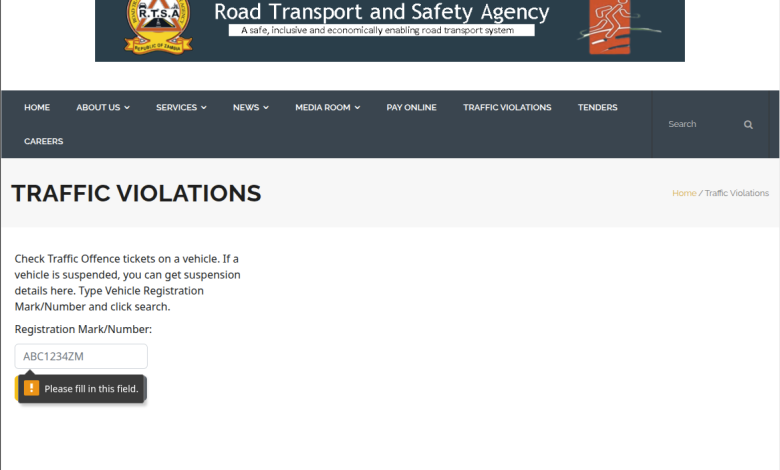
The RTSA Traffic Violations Portal is a hidden but essential tool that allows you to audit your vehicle from your phone. Here is how to use it.
1. Why You Should Audit Your Vehicle Today
RTSA uses an automated “Blocking” system. If a speed camera captures your vehicle exceeding the limit:
An electronic ticket is issued against your Registration Mark (Number Plate).
Your vehicle is “Suspended” from digital services.
You cannot renew Road Tax or Fitness until the fine is cleared.
By checking now, you give yourself enough time to settle the fine before your Road Tax expires.
2. Step-by-Step: How to Check Your Tickets
You do not need to log in or have a password to check for violations.
Visit the Portal: Go directly to the RTSA Traffic Offences Page.
Enter Your Plate Number: In the box labeled Registration Mark/Number, type your plate number without spaces (e.g., BAA1234 or ALE2083).
Search: Click the search button.
Read the Results:
“No traffic offence tickets found”: You are in the clear! Your vehicle is not blocked.
List of Tickets: If you see a table, it will list the Date, Time, Location (e.g., “Great East Road”), and the Amount due.
3. The “Payment Trap”: A Crucial Tip
While you can check your fines online, paying them can be tricky.
The Issue: Sometimes the online payment gateway for fines on the RTSA website is suspended or fails to “clear” the block immediately.
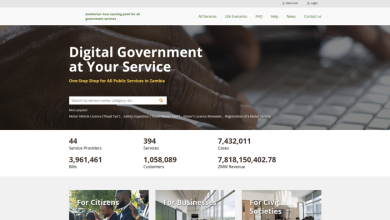
The Solution: If you find a fine, it is best to pay via the Government Service Bus (GSB) on ZamPortal or visit a designated RTSA Service Centre (like Ridgeway or Mimosa).
Verification: After paying, wait about 30 minutes and check the link again. Once it says “No traffic offence tickets found,” your Road Tax renewal will be unblocked.
4. Pro-Tips for Zambian Motorists
Check Every Month: Speed camera data can sometimes take a week or two to upload. Make it a habit to check your plate number at the end of every month.
Updates on SMS: Ensure your mobile number is correctly linked to your vehicle at RTSA so you receive the automated “Speeding Alert” SMS when the violation happens.
Borrowed Vehicles: If you lend your car to a friend, check the portal the next day! The fine stays with the vehicle owner, not the driver.