Introduction
ZESCO’s SMS Power facility is a two-way communication tool designed to keep you updated on the status of the grid. By linking your meter to your mobile number, you will receive automated alerts about planned maintenance and unplanned outages affecting your specific neighborhood.
1. Why You Need to Register Today
Without SMS alerts, you are left guessing. Registering gives you three major advantages:
Advance Warning: Receive notifications about planned maintenance 24–48 hours before the power is switched off.
Outage Explanations: Get real-time updates when an unplanned fault (like a blown transformer) occurs in your area.
Restoration Times: ZESCO often sends follow-up texts with an Estimated Time of Restoration (ETR) so you know when to start cooking or charging your devices.
2. How to Register (3 Simple Methods)
You don’t need to visit a ZESCO office to sign up. You can do it from your phone right now.
Method A: The Online Portal (Best for PC Users)
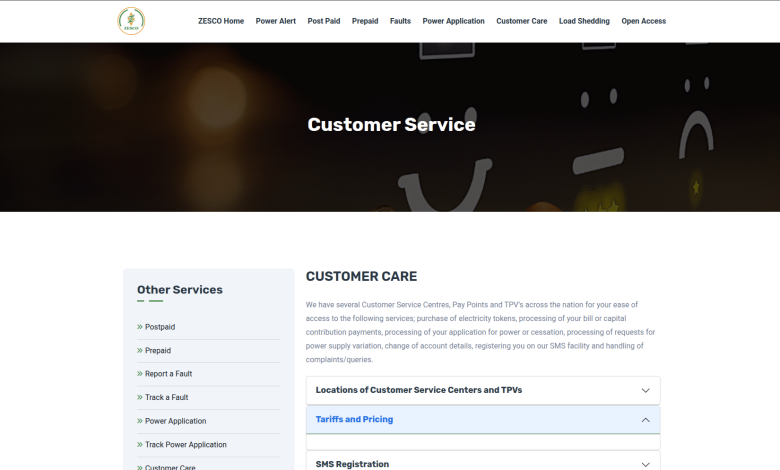
Visit the ZESCO Customer Service Portal.
Navigate to the SMS Registration section.
Enter your 11-digit Meter Number (found on your prepaid card or by pressing
100thenEnteron most meters).Enter your Mobile Number (Airtel, MTN, or Zamtel).
Click Submit. You should receive a confirmation text within minutes.
Method B: The USSD Code (Fastest for Mobile)
Dial *3600# on your mobile phone.
Select the option for Register for SMS Alerts.
Follow the prompts to enter your meter/service number.
Method C: The “MyZESCO” App
Download the MyZESCO app from the Google Play Store or Apple App Store.
Login with your credentials.
Go to Profile Settings and ensure your mobile number is updated and the “Receive Notifications” toggle is turned on.
3. The “SMS Power” Features
Once registered, the system isn’t just for alerts; it’s a tool you can use. You can send specific codes to 3600 to get instant information:
| Command | Action |
| BAL [Meter Number] | Check your current outstanding balance (for Postpaid). |
| LAST | Receive the token for your last successful electricity purchase. |
| FAULT [Description] | Report a fault directly via SMS. |
4. Pro-Tips for Success
Check Your KYC: If you recently moved into a new house, the meter might still be registered to the previous tenant’s phone number. Use the KYC Submission Form on the ZESCO portal to update the name and contact details to yours.
Multiple Numbers: You can usually link more than one mobile number to a single meter. This is great for families so that everyone in the house knows why the lights went out.
Treat All Lines as Live: Even if you receive an SMS saying the power will be out until 18:00, ZESCO warns that power can be restored early. Always treat wires and sockets as “Live” to avoid accidents.
